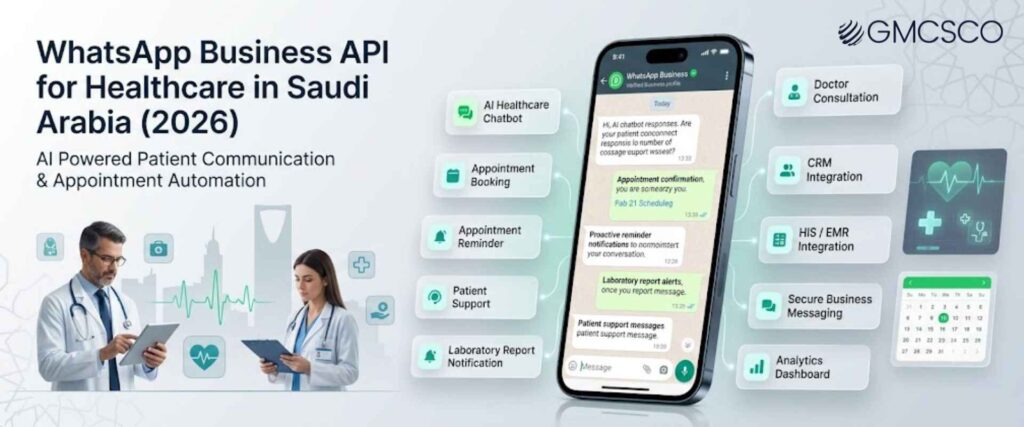
WhatsApp Business API for Healthcare in Saudi Arabia (2026): Complete Guide for Hospitals, Clinics & Medical Centers
Quick Answer The Official WhatsApp Business API helps hospitals, clinics, dental practices, IVF centers, cosmetic clinics, pharmacies, and medical centers in Saudi Arabia automate patient communication, appointment scheduling, reminders, follow ups, AI powered support, and healthcare notifications. It enables healthcare providers to deliver faster, more personalized, and secure patient experiences while reducing administrative workload and supporting the Kingdom’s digital healthcare transformation under Vision 2030. Quick Summary Saudi Arabia’s healthcare industry is rapidly embracing digital communication to improve patient care and operational efficiency. As patient expectations continue to evolve, healthcare organizations need communication channels that are fast, reliable, and convenient. In this guide, you’ll learn: What the Official WhatsApp Business API is Why Saudi healthcare providers are investing in WhatsApp Business API The biggest benefits for hospitals and clinics Which healthcare organizations can benefit AI chatbot use cases Appointment automation CRM and Hospital Information System integration Best implementation practices for healthcare providers Introduction The healthcare industry in Saudi Arabia has changed significantly over the last few years. Patients are no longer satisfied with waiting on hold for appointments or visiting hospitals just to receive basic information. They expect healthcare providers to communicate quickly, provide real time updates, and offer convenient digital services through the platforms they already use every day. Among all communication channels, WhatsApp has become one of the most widely used messaging applications in Saudi Arabia. Patients are comfortable using it to enquire about appointments, treatment options, laboratory reports, doctor availability, and follow up care. As a result, hospitals and clinics are increasingly adopting the Official WhatsApp Business API to meet these changing expectations. Whether you operate a multi specialty hospital in Riyadh, a dental clinic in Jeddah, an IVF center in Dammam, or a cosmetic clinic in Khobar, WhatsApp Business API enables you to improve patient engagement, automate routine communication, and create a seamless healthcare experience from the first enquiry to post treatment follow up. Why Digital Communication is Becoming Essential for Saudi Healthcare Saudi Arabia is investing heavily in healthcare innovation as part of Vision 2030. Hospitals and medical institutions are modernizing their infrastructure, adopting digital health technologies, and improving patient experiences through smart communication solutions. Digital engagement has become an important factor in delivering efficient and patient centered healthcare services. Today’s patients expect immediate responses when booking appointments, checking doctor availability, requesting laboratory reports, or asking about treatment procedures. Delayed communication often leads to patient frustration and missed business opportunities for healthcare providers. Instead of relying only on phone calls and emails, healthcare organizations are now using messaging platforms that patients already trust. WhatsApp provides an accessible, familiar, and convenient way to communicate with patients while reducing pressure on front desk teams and improving overall service quality. Healthcare providers are focusing on: Faster patient communication Digital appointment management Reduced waiting times Improved patient engagement Automated healthcare workflows Better operational efficiency Also Read About WhatsApp Chatbot for Clinics & Hospitals What is the Official WhatsApp Business API? The Official WhatsApp Business API is Meta’s enterprise messaging solution designed for medium and large businesses that need to manage customer communication at scale. Unlike the standard WhatsApp Business App, the API supports automation, multiple users, CRM integration, chatbot technology, analytics, and enterprise level messaging capabilities. For healthcare providers, this means every patient interaction can be managed through a centralized communication platform. Receptionists, patient coordinators, customer support teams, and healthcare administrators can work together while maintaining complete visibility into ongoing conversations. The platform also integrates with Hospital Information Systems, Electronic Medical Records, appointment scheduling software, payment systems, and AI powered chatbots, helping healthcare organizations automate repetitive tasks while maintaining a personalized patient experience. Key capabilities include: Multi user access AI powered chatbots Appointment automation CRM integration Hospital Information System integration Secure patient notifications Analytics and reporting Arabic and English communication Workflow automation Also Read About WhatsApp Marketing for Healthcare Why Saudi Healthcare Providers Are Investing in WhatsApp Business API Healthcare organizations across Saudi Arabia are experiencing a significant increase in digital patient interactions. Every day, hospitals and clinics receive enquiries related to appointment bookings, insurance verification, consultation fees, treatment availability, laboratory reports, prescription refills, and follow up care. Managing these requests manually has become increasingly difficult, especially for organizations with multiple departments or branches. The Official WhatsApp Business API provides a scalable solution that helps healthcare providers automate routine communication while maintaining a personalized patient experience. Instead of relying solely on phone calls and manual responses, organizations can instantly assist patients through automated workflows, AI powered chatbots, and integrated communication systems. The growing investment in WhatsApp Business API is also aligned with Saudi Arabia’s Vision 2030, which encourages healthcare organizations to adopt digital technologies that improve service quality, operational efficiency, and patient satisfaction. As competition among private healthcare providers continues to increase, offering fast and convenient communication has become a key differentiator. Healthcare providers are investing in WhatsApp Business API to: Reduce administrative workload Respond to patients faster Improve appointment management Minimize missed appointments Enhance patient satisfaction Support digital healthcare initiatives Automate repetitive enquiries Improve operational efficiency Deliver personalized patient communication Looking to modernize patient communication? Discover how GMCSCO’s Official WhatsApp Business API solutions can help your healthcare organization automate appointments, patient support, and follow ups. Top Benefits of WhatsApp Business API for Saudi Healthcare The Official WhatsApp Business API offers much more than a messaging platform. It becomes a centralized communication system that connects patients, healthcare staff, and internal systems while automating routine tasks. This allows healthcare professionals to spend more time on patient care rather than administrative activities. From appointment scheduling to post treatment follow ups, every stage of the patient journey can be streamlined through automation. Healthcare providers benefit from improved productivity, while patients enjoy faster responses and a more convenient communication experience. Some of the biggest benefits include: 1. Faster Patient Communication Patients receive instant responses to common enquiries, reducing waiting times and improving overall satisfaction. 2. Automated Appointment Management Booking confirmations, reminders, cancellations, and rescheduling can all be automated without manual intervention. 3. Lower