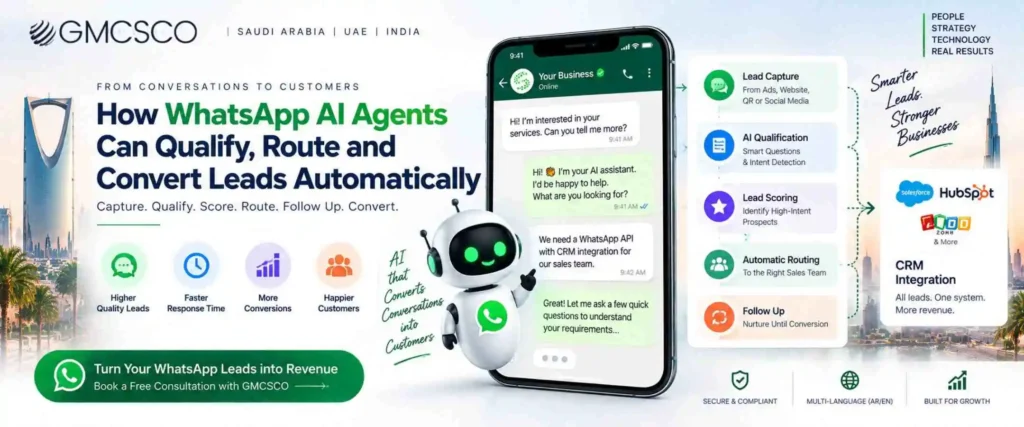
How WhatsApp AI Agents Can Qualify, Route and Convert Leads Automatically
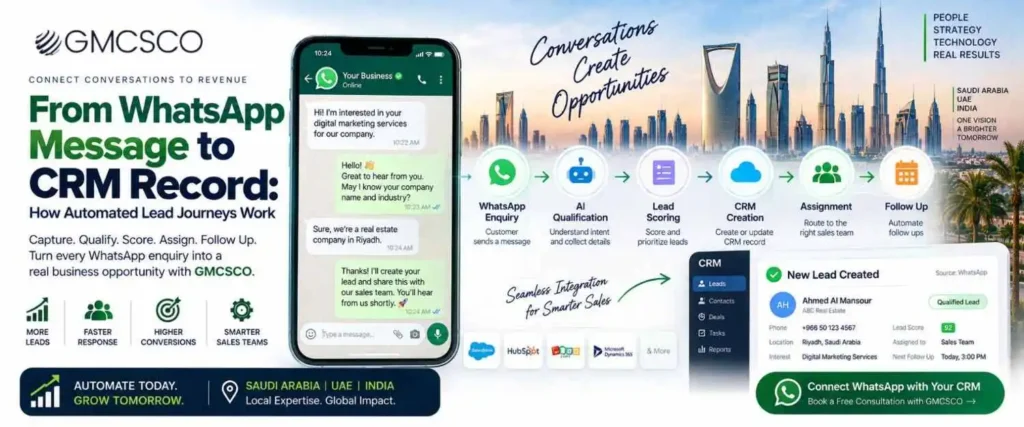
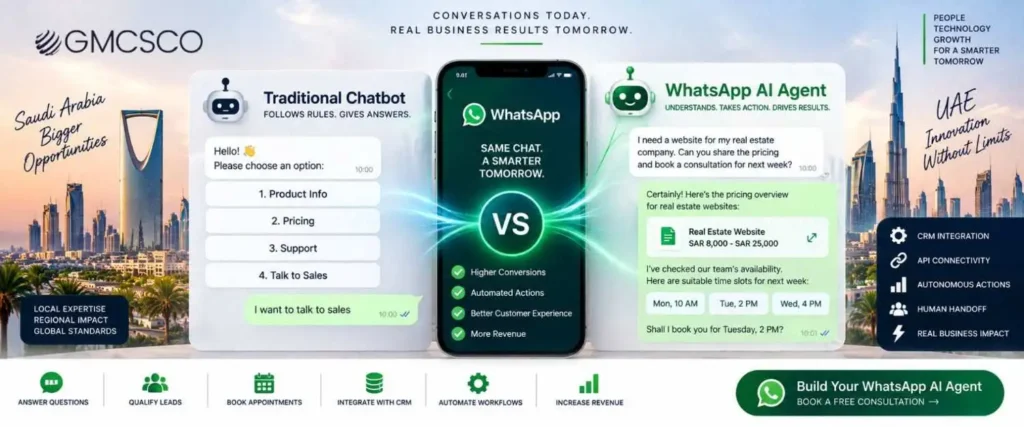
🎯 WhatsApp AI Lead Qualification — 2026 WhatsApp AI Agent for Lead Qualification: From Conversation to Qualified Opportunity Generating a lead is only the beginning. What happens in the next five minutes decides whether it becomes revenue or disappears into an inbox. 94.4% / 90.4%Saudi male / female WhatsApp usage 45.2%Saudi AI tool adoption (2025) 14 StepsFrom ad click to conversion For many businesses, generating a lead is only the beginning. A customer may click a Meta ad, visit a website, send a WhatsApp message, and ask a simple question — what happens next determines whether that enquiry becomes a sales opportunity or gets lost in an overloaded inbox. Sales teams often spend significant time asking the same qualification questions, checking requirements, assigning leads to the right salesperson, and following up with people who have already shown interest. A WhatsApp AI agent can automate much of this journey. Instead of simply responding with predefined chatbot messages, an AI-powered WhatsApp workflow can understand customer questions, collect relevant information, qualify prospects, assign leads, update CRM records, and trigger the next action. Meta itself has been expanding AI capabilities for business conversations — in June 2026, Meta introduced Meta Business Agent, describing capabilities including answering business questions, recommending products, booking appointments, qualifying incoming leads, and supporting sales conversations, alongside a Business Agent Platform designed to connect agents with business systems and provide enterprise controls and measurement. For businesses in Saudi Arabia and the UAE, this creates an opportunity to turn WhatsApp from a simple communication channel into an automated lead qualification and sales workflow. The Basic Journey Ad or Website → WhatsApp → AI Conversation → Lead Qualification → Lead Score → CRM → Sales Assignment → Follow Up → Conversion. This article explains how that process works and what businesses should consider before implementing a WhatsApp AI lead qualification system. What Is WhatsApp AI Lead Qualification? The process of using an AI-powered WhatsApp system to communicate with potential customers, understand their requirements, and determine whether they’re suitable prospects for a company’s products or services. Traditional lead capture often collects only basic information — Name: Ahmed, Phone: +966 XXXXXXXX, Requirement: Interested in property. That’s useful, but it doesn’t tell the sales team whether Ahmed is ready to buy. An AI agent can continue the conversation naturally: “Are you looking for a residential property or an investment property?” → “Investment.” → “What approximate budget range are you considering?” → “Between SAR 1.5 million and SAR 2 million.” The system captures Lead Type: Investment, Budget: SAR 1.5M–2M, Location: Riyadh, Intent: High, Status: Sales Qualified Lead. The important difference: the WhatsApp conversation is producing structured sales information, not just messages. Why WhatsApp Is Becoming Important for AI Lead Qualification WhatsApp is particularly useful for conversational lead generation because customers can communicate through a channel they already understand. Saudi Arabia is an especially relevant market — the Saudi Internet Report 2025 from the Communications, Space and Technology Commission reported 99.6% internet penetration and 45.2% adoption of AI tools, with WhatsApp as the most used social application at 94.4% usage among male internet users and 90.4% among female internet users. Instead of sending a customer from an advertisement to a long form and waiting for a salesperson to respond, a company can start a conversation immediately: the customer asks questions, the AI responds, the AI qualifies the requirement, the CRM receives the information, and the sales team receives a structured lead. That’s the foundation of WhatsApp AI lead automation. 💬 See How This Would Work for Your Business GMCSCO can walk through what a WhatsApp AI qualification workflow would look like for your specific product and sales process. 💬 Chat on WhatsApp: +91 95133 51353 WhatsApp AI Chat vs Traditional WhatsApp Chatbot A traditional chatbot generally works through predefined rules — “1. Product Information 2. Pricing 3. Book Appointment 4. Talk to Sales” — and the customer selects an option and moves through a predefined workflow. An AI agent works differently: it can interpret natural language and determine what the customer is trying to accomplish. “I need a WhatsApp API for around 50,000 messages every month and I also want CRM integration” would confuse a menu-based chatbot, but an AI agent identifies WhatsApp API, monthly messaging volume, CRM integration, and commercial intent, then continues the conversation around those requirements. 📋 Traditional Chatbot Question → predefined answer → menu → next step. 🤖 AI Agent Customer message → intent understanding → context → reasoning → action → next step. How a WhatsApp AI Agent Qualifies Leads Automatically Stage 1: Lead Capture The journey starts when a potential customer enters WhatsApp — from Meta Ads, Google Ads, website, landing page, QR code, social media, an existing customer, referral, WhatsApp link, or an ecommerce website. Instead of asking the customer to complete a long form, the AI agent collects information conversationally: “Hi, welcome to GMCSCO. How can we help your business today?” → “I need WhatsApp API.” The AI determines the customer is interested in a WhatsApp Business solution. Stage 2: AI Intent Detection “I want to automate customer enquiries,” “We receive around 500 leads every month and our sales team cannot respond quickly,” and “Can your WhatsApp chatbot connect with Salesforce?” are all discussing WhatsApp automation, but their requirements differ. The AI classifies conversations into intents such as WhatsApp API, WhatsApp chatbot, AI agent, CRM integration, lead generation, customer support, marketing automation, ecommerce automation, appointment booking, and technical integration — letting the workflow change depending on what the customer actually needs. Stage 3: Asking Qualification Questions The key is not to ask every customer the same 15 questions — questions should depend on the customer’s requirement. A real estate company asks property type, location, budget, investment vs. personal use, and timeline. A healthcare business asks service, location, appointment timing, and new vs. follow-up. A B2B technology company asks solution needed, number of users, current CRM, monthly lead volume, and API integration needs. This makes the conversation more relevant. Stage
How WhatsApp AI Agents Can Qualify, Route and Convert Leads Automatically Read More »