
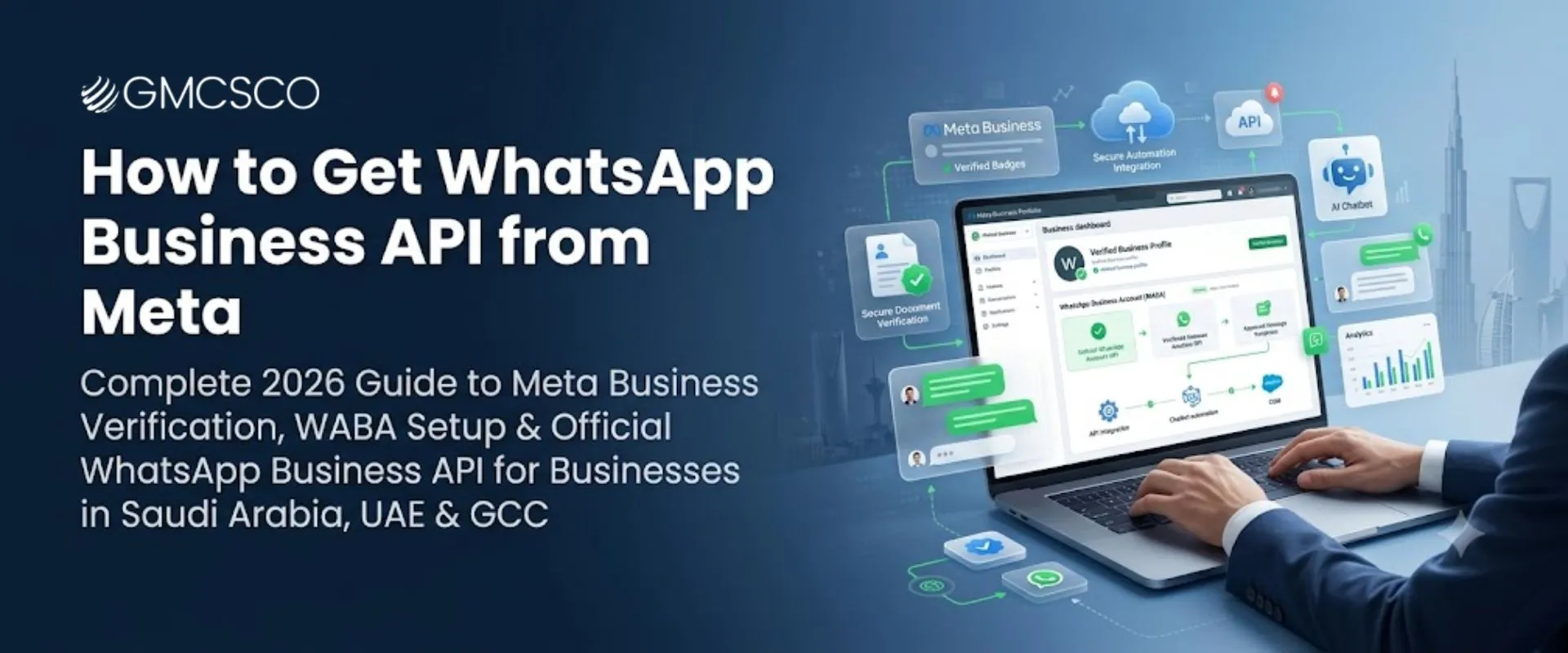
📲 WhatsApp Business API — 2026
How to Get WhatsApp Business API from Meta: The Complete 2026 Setup Guide
Meta provides the platform infrastructure. Turning that into a working CRM + AI chatbot + sales system is a separate job.
If your business wants to use WhatsApp for customer support, lead generation, marketing, notifications, CRM automation, or AI chatbots, you may have heard about the WhatsApp Business API. But getting started can be confusing. Do you need Meta Business verification? Can you use your existing WhatsApp number? Do you need a WhatsApp Business Solution Provider? Is WhatsApp Business API free? Can you connect it with your CRM? Can you build an AI chatbot after getting API access? And what is the difference between the WhatsApp Business App and WhatsApp Business API? This guide explains how to get WhatsApp Business API from Meta in 2026, what you need before starting, how onboarding works, what businesses in Saudi Arabia and the UAE should consider, and how an implementation partner such as GMCSCO can help with the technical setup.
Quick Answer: How Do You Get WhatsApp Business API from Meta?
Businesses can access the Official WhatsApp Business Platform through Meta’s business and developer ecosystem. The typical process involves: creating or preparing a Meta Business Portfolio, providing accurate business information, completing business verification when required, creating or connecting a WhatsApp Business Account, adding and registering a business phone number, configuring the WhatsApp Business Platform, setting up messaging and approved templates where applicable, connecting APIs, CRM systems or other business software, testing the communication workflow, and launching WhatsApp automation, customer support, or marketing workflows.
You can work directly with Meta for the platform setup, or use an experienced implementation partner to help with onboarding, integrations, chatbot development, CRM connections, and automation. The important distinction: Meta provides the WhatsApp Business Platform infrastructure. An implementation partner can help you turn that infrastructure into a complete business communication system.
What Is WhatsApp Business API?
WhatsApp Business API, commonly used to refer to the programmatic WhatsApp Business Platform, allows businesses to connect WhatsApp with software, customer service systems, and business workflows. Unlike the standard WhatsApp Business App, an API-based implementation can support more advanced use cases:
For businesses that receive a large number of customer conversations or need WhatsApp to connect with their existing systems, the platform can become an important part of their customer communication infrastructure.
WhatsApp Business App vs WhatsApp Business API
| Feature | WhatsApp Business App | WhatsApp Business Platform |
|---|---|---|
| Manual customer conversations | Yes | Yes, through compatible software |
| Multiple team members | Limited depending on setup | Designed for multi-agent workflows |
| CRM integration | Limited | Yes |
| AI chatbot integration | Limited | Yes |
| Advanced automation | Limited | Yes |
| Programmatic messaging | No | Yes |
| Business notifications | Limited | Yes |
| Large-scale workflows | Limited | Yes |
| Custom API integrations | No | Yes |
| Enterprise automation | Limited | Yes |
The right option depends on your business size, communication volume, and automation requirements. A small business that only needs manual conversations may not need a full API implementation. A company that wants CRM integration, AI automation, multi-agent support, or large-scale customer communication may benefit from the WhatsApp Business Platform.
Can You Get WhatsApp Business API Directly From Meta?
Yes. Businesses can access the Official WhatsApp Business Platform through Meta. However, obtaining access is only one part of the implementation — a business may still need to manage Meta Business Portfolio configuration, business verification, WhatsApp Business Account setup, phone number registration, messaging configuration, templates, API credentials and technical configuration, webhooks or integrations, CRM connection, chatbot development, automation workflows, team access, and ongoing monitoring. This is why many businesses choose an implementation partner. The choice isn’t Meta OR a provider — a more accurate way to think about it: Meta = platform infrastructure. Implementation partner = setup, integration, development and support.
Do You Need a WhatsApp Business Solution Provider?
Not every business needs a provider for every part of its setup. If your internal team has the technical experience required to work with Meta’s platform, APIs, webhooks, authentication, business systems, and automation, you may be able to manage much of the implementation internally. However, a provider or implementation partner can be useful when you need business onboarding assistance, Meta Business verification guidance, WhatsApp API implementation, CRM integration, AI chatbot development, multi-agent inbox, lead management, custom API integration, automated customer journeys, Arabic and English workflows, and technical support. For businesses in Saudi Arabia and the UAE without an internal WhatsApp API development team, working with an experienced implementation partner can reduce technical complexity.
What Do You Need Before Getting WhatsApp Business API?
Before starting, prepare your business information and decide how you want WhatsApp to be used.
1. Meta Business Portfolio
An appropriate Meta business environment for managing assets and WhatsApp configuration. Keep company information accurate and consistent.
2. Business Information
Legal name, address, website, email, phone, country, category, and registration info — consistent across every asset.
3. Registration Documents
Saudi businesses may need commercial documentation; UAE businesses may need trade licence documentation, depending on verification requirements.
4. Business Website
Should clearly show who you are, what you offer, how to contact you, and relevant privacy/terms information.
5. Business Phone Number
Check it isn’t already tied to an existing WhatsApp account. Don’t choose your primary customer number casually.
6. Display Name
Should accurately represent your business — avoid misleading names or promotional slogans.
How to Get WhatsApp Business API from Meta: Step by Step
The exact interface and onboarding flow can change over time, but the following represents the practical implementation journey businesses should prepare for.
Prepare Your Meta Business Environment
Check legal name, website, address, category, contact info, assets, and permissions. Inconsistencies can create verification problems.
Prepare Your Business for Verification
Ensure Saudi/UAE registration details align across every document — never submit inconsistent company names.
Create or Configure Your WhatsApp Business Account (WABA)
Configure business identity, display name, category, description, phone numbers, messaging, templates, and user access, connected to the correct entity.
Add Your Business Phone Number
Confirm you control it, it can receive verification, and any migration is planned for long-term business use.
Verify the Phone Number
Follow the presented verification process and keep codes secure — never share them with unauthorized individuals.
Configure WhatsApp Messaging
Connect the technical layer — API configuration, access tokens, webhooks, message handling, CRM and chatbot connections.
Create and Manage Message Templates
WhatsApp isn’t unlimited promotional messaging — templates fall under Authentication, Utility, and Marketing categories, each with applicable requirements that can change over time.
Connect Your CRM
This is where the API becomes far more valuable — WhatsApp stops being isolated and becomes part of a structured sales process.
Build Your WhatsApp Chatbot or AI Agent
API access does not automatically give you an AI chatbot — the API is the communication infrastructure; AI is a separate software layer built on top.
Add Multi-Agent Customer Support
Route New lead → Sales, Existing customer → Support, Payment issue → Accounts, Technical issue → Technical Team.
Test Everything Before Launch
Messages, automated responses, templates, lead capture, CRM sync, agent assignment, AI, handoff, notifications, error handling, opt-out.
Launch and Monitor
Lead gen, support, sales follow-up, appointments, orders, deliveries, notifications — monitor after launch; technically working isn’t the same as a good customer experience.
💬 Need Help Getting Set Up?
GMCSCO can guide you through Meta onboarding, business verification, API configuration, and connecting WhatsApp to your CRM and chatbot.
WhatsApp Business API for Saudi Arabia and the UAE
🇸🇦 Saudi Arabia
Lead generation, customer support automation, permission-based marketing, CRM integration, AI chatbots, and Arabic + English customer journeys for bilingual audiences.
🇦🇪 UAE
Real estate, ecommerce support, healthcare communication, travel bookings, hospitality, education, logistics, automotive, financial and professional services.
The technical platform is global, but the business workflow, customer communication, privacy practices, and operational requirements may differ by market — the right implementation starts with the business process rather than simply installing an API.
How Much Does WhatsApp Business API Cost?
“Is WhatsApp Business API free?” — the answer is more complicated than simply yes or no. The total cost can include several components:
Meta Messaging Costs
Applicable pricing structure and message categories.
Software/Platform Cost
Inbox, CRM, chatbot, or automation platform fees.
Implementation Cost
Technical setup, configuration, integration.
CRM Integration
Connecting to your existing CRM can require custom development.
AI Chatbot
Additional development and AI usage costs.
Ongoing Support
Maintenance, optimization, technical support.
A simple WhatsApp implementation and a full enterprise system with AI chatbot + CRM + multi-agent inbox + automation + APIs are very different projects.
Can You Use an Existing WhatsApp Number?
In many cases, yes — but the exact migration or registration process depends on how that number is currently being used and the chosen onboarding configuration. Before moving a production number, consider existing customer conversations, number ownership, account configuration, migration requirements, communication continuity, and internal team access. For a business-critical number, professional implementation assistance can help reduce avoidable disruption.
What Happens to Your Number After API Setup?
WhatsApp Business Platform
Shared Team Inbox
Sales + Support Agents
Rather than every employee using the same mobile app, this is one reason businesses use API-based WhatsApp systems for larger teams.
Can WhatsApp Business API Be Connected to a CRM?
Yes — CRM integration is one of the major reasons companies implement WhatsApp Business Platform solutions. Possible integrations include Salesforce, HubSpot, Zoho CRM, Microsoft Dynamics, custom CRM, ERP systems, ecommerce platforms, helpdesk systems, and booking platforms.
CRM
Sales Team
Quotation
Payment
Follow Up
This turns WhatsApp from a messaging channel into part of the company’s sales workflow.
Can You Build an AI Chatbot on WhatsApp Business API?
Yes. WhatsApp Business Platform can be integrated with chatbot and AI systems that can understand questions, collect lead information, qualify enquiries, answer approved FAQs, schedule appointments, route conversations, connect with CRM, support multiple languages, and escalate to humans. However, AI should not be treated as an unrestricted source of business information — for pricing, availability, policies, medical information, or financial details, the system should use approved business data and controlled workflows.
The system can then collect the required information and pass the qualified lead to a sales representative — this is where WhatsApp API, AI, and CRM automation work together.
WhatsApp API for Lead Generation
Google/Meta Ad
Click to WhatsApp
AI Chatbot
Qualification
CRM
Sales Agent
Follow Up
Especially useful for real estate, healthcare, education, automotive, travel, ecommerce, B2B services, financial services, and logistics. The goal isn’t simply to generate more WhatsApp conversations — it’s to generate better qualified business enquiries.
WhatsApp Business API by Industry
Real Estate
Property enquiries, budget/location questions, preferences, sharing listings, scheduling viewings, agent assignment, follow-up, AI-powered property matching.
Ecommerce
Order confirmations, shipping/delivery updates, support, product enquiries, cart recovery, follow-ups; Shopify/WooCommerce integration.
Healthcare
Appointment reminders, booking enquiries, clinic info, schedule updates, follow-up — extra care needed for privacy and sensitive data.
Travel Agencies
Destination → dates → travellers → budget → preferences, itinerary sharing, booking, reminders, routed to a consultant.
Logistics
Shipment/delivery updates, tracking, pickup, document requests, driver updates — integration with logistics software automates repetitive comms.
Education
Admissions, course info, application updates, booking, student/parent communication, event reminders — routes complex questions to staff.
WhatsApp Business API Compliance and Privacy
WhatsApp automation should be designed around current WhatsApp Business Platform policies and applicable local privacy requirements. For Saudi businesses, this includes considering the Saudi Personal Data Protection Law (PDPL) where applicable — covering customer consent, data collection, data storage, access permissions, marketing communication, opt-out processes, data minimization, third-party integrations, sensitive information, and internal access controls. UAE businesses should similarly assess the privacy and data protection requirements relevant to their activities. Avoid claims such as “100% WhatsApp compliant” unless referring to a defined implementation actually assessed against applicable requirements — compliance depends on how the technology is configured and how the business operates it.
Common WhatsApp Business API Setup Problems
Verification Delays
Inconsistent info or documentation issues.
Phone Number Problems
Existing setup causing migration issues.
Display Name Rejection
Name doesn’t represent the business.
Template Rejection
Doesn’t meet current messaging requirements.
CRM/Chatbot Problems
API access alone doesn’t connect anything.
Common Mistakes Businesses Make
Confusing App With API
They are not the same solution.
No Migration Planning
A production number needs a plan first.
Assuming API = AI Chatbot
AI is a separate implementation layer.
Ignoring Messaging Rules
Follow current policies and consent requirements.
Ignoring CRM Integration
WhatsApp should connect to your existing sales workflow.
Automating Everything
Some conversations require human involvement.
Choosing on API Access Alone
A good partner covers API + CRM + AI + automation + experience + support.
Direct Meta Setup vs Implementation Partner
| Requirement | Direct Meta Setup | Implementation Partner |
|---|---|---|
| Platform access | Yes | Yes |
| Business onboarding | You manage | Assisted |
| Verification guidance | Self managed | Assisted |
| API configuration | Internal team | Partner can assist |
| CRM integration | Your team | Partner can develop |
| AI chatbot | Your team | Partner can develop |
| Automation | Your team | Partner can implement |
| Multi-agent setup | Your team/software | Partner can configure |
| Custom APIs | Internal development | Partner can develop |
| Technical support | Self managed | Ongoing support available |
The right option depends on your technical capability and business requirements.
📅 Not Sure Whether to Go Direct or Use a Partner?
Talk to GMCSCO about your team’s technical capability and the right setup path for your business.
Why Choose GMCSCO for WhatsApp Business API in Saudi Arabia and UAE?
GMCSCO helps businesses build WhatsApp communication systems around their actual sales, support, and operational requirements:
For businesses in Saudi Arabia, UAE, and the wider GCC, we design the WhatsApp solution around your business model rather than forcing your team into a generic chatbot workflow.
Our WhatsApp Business API Implementation Process
Business Requirement Analysis
Understand what you want WhatsApp to achieve — lead gen, support, marketing, CRM automation, AI chatbot, notifications, sales automation.
Technical Planning
Identify the systems that need to connect with WhatsApp.
Meta and WhatsApp Setup
Assist with the required business configuration and onboarding.
API and Integration
Configure the technical connection between WhatsApp and your business systems.
Chatbot and Automation
Build the required conversation flows and automation.
CRM Integration
Leads and customer conversations connected with your CRM.
Testing
Test customer journeys, automation, and integrations before launch.
Launch and Support
After deployment, provide technical support and optimization.
What Makes a Good WhatsApp Business API Solution?
Getting API access is only the beginning — a successful implementation should answer five questions:
Can customers reach us easily?
The entry point should be simple and visible.
Can we respond quickly?
Automation should handle repetitive conversations.
Can we identify valuable leads?
The system should capture meaningful information.
Can our team take over?
Human handoff should be built into the workflow.
Can WhatsApp connect our systems?
CRM, ERP, ecommerce should be connected where required.
That’s what turns WhatsApp from a messaging application into a business communication platform.
Frequently Asked Questions
Can I get WhatsApp Business API directly from Meta?
Yes. Eligible businesses can access the Official WhatsApp Business Platform through Meta. Businesses can also work with an implementation partner for onboarding, technical integration, chatbot development, and automation.
Is WhatsApp Business API free?
The total cost depends on the implementation. Businesses may have Meta messaging charges, software costs, integration costs, chatbot or AI development costs, and ongoing support costs.
What is the difference between WhatsApp Business and WhatsApp Business API?
WhatsApp Business is a business application designed primarily for manual communication and basic business features. WhatsApp Business Platform enables programmatic messaging, integrations, and advanced automation.
Do I need a WhatsApp Business Solution Provider?
Not necessarily. Businesses with the required technical capabilities may manage their implementation directly. A provider can be useful when you need technical setup, CRM integration, AI chatbot development, automation, or ongoing support.
Can I use my existing WhatsApp number?
In many cases, an existing number can be used, but the registration or migration requirements depend on the number’s current WhatsApp configuration.
Can I use the same number on WhatsApp Business App and API?
The answer depends on the specific setup and migration or coexistence options available to your business. Do not assume that a number can simply be connected to every WhatsApp environment simultaneously.
Do I need Meta Business Verification?
Verification requirements can depend on the business and onboarding configuration. Businesses should prepare accurate company information and supporting documentation in case Meta requests verification.
How long does WhatsApp Business API setup take?
There is no single guaranteed timeline. The process depends on business verification, documentation, phone number setup, technical configuration, integrations, and the complexity of the implementation.
Is WhatsApp Business API available in Saudi Arabia?
Yes. Businesses in Saudi Arabia can implement WhatsApp Business Platform solutions for customer communication, sales, support, notifications, and automation, subject to applicable Meta policies and local requirements.
Is WhatsApp Business API available in the UAE?
Yes. UAE businesses can use WhatsApp Business Platform solutions for customer communication, sales, support, notifications, and automation.
Can I connect WhatsApp Business API to my CRM?
Yes. WhatsApp can be integrated with CRM platforms such as Salesforce, HubSpot, Zoho, and Microsoft Dynamics, as well as custom CRM systems.
Can WhatsApp Business API be connected to Shopify or WooCommerce?
Yes. WhatsApp can be integrated with ecommerce systems such as Shopify and WooCommerce to support customer communication, notifications, and automation.
Can I build an AI chatbot on WhatsApp?
Yes. An AI chatbot can be built using WhatsApp Business Platform as the communication layer and an AI system as the conversational layer.
Can WhatsApp AI chatbot qualify leads?
Yes. A chatbot can ask predefined or AI-assisted questions, collect customer requirements, and pass qualified leads to a CRM or sales team.
Can multiple sales agents use one WhatsApp number?
Yes, when the WhatsApp implementation is connected to an appropriate shared inbox or multi-agent customer service system.
Can WhatsApp Business API send marketing messages?
Businesses can use WhatsApp for marketing communication where the applicable Meta requirements, message rules, and customer consent requirements are satisfied.
What happens if a WhatsApp message template is rejected?
You should review the rejection reason, modify the template to meet the applicable requirements, and submit it again where permitted.
Can WhatsApp Business API support Arabic?
Yes. Businesses can design Arabic customer journeys and bilingual Arabic and English communication workflows.
Can WhatsApp Business API integrate with an AI agent?
Yes. WhatsApp can serve as the communication channel for an AI agent connected to business data, CRM systems, and defined workflows.
Is WhatsApp Business API suitable for small businesses?
It can be, particularly when the business needs automation or integrations. However, a small business that only needs basic manual WhatsApp communication may find the standard WhatsApp Business App sufficient.
How much does WhatsApp Business API implementation cost in Saudi Arabia?
There is no universal price. Costs depend on Meta messaging charges, software, API implementation, CRM integration, chatbot development, AI requirements, number of agents, and ongoing support.
How much does WhatsApp Business API implementation cost in the UAE?
The cost depends on the same factors: messaging, software, implementation, integrations, automation, AI, and support requirements.
Can GMCSCO help with WhatsApp Business API setup?
Yes. GMCSCO provides WhatsApp Business API implementation, onboarding assistance, CRM integration, AI chatbot development, automation, multi-agent solutions, and custom integrations for businesses in Saudi Arabia, UAE, and other markets.
Final Takeaway
Getting the WhatsApp Business API from Meta is not simply a matter of creating a WhatsApp account. A successful implementation involves preparing your business information, configuring the Meta business environment, setting up the WhatsApp Business Account, registering the appropriate phone number, configuring messaging, and then connecting WhatsApp with the systems your business actually uses. For a simple business, the setup may be relatively straightforward. For a growing company that wants CRM integration, AI chatbot automation, multi-agent support, lead generation, customer service, and business notifications, the technical implementation becomes much more important. For businesses in Saudi Arabia and the UAE, the opportunity is even broader — WhatsApp can become a central communication layer connecting Google Ads/Meta Ads → WhatsApp → AI Chatbot → Lead Qualification → CRM → Sales Team → Follow Up → Conversion. That’s the difference between simply having WhatsApp and building a WhatsApp-powered business communication system.
Ready to Set Up WhatsApp Business API for Your Business?
Whether you need WhatsApp Business API setup in Saudi Arabia or the UAE, WhatsApp API integration, chatbot development, CRM integration, AI WhatsApp chatbot, or complete WhatsApp automation, GMCSCO can help you plan and implement the right solution — from initial requirements and Meta onboarding through API configuration, CRM integration, chatbot development, automation, and deployment.