
Getting WhatsApp Business API live properly in 2026 is not a simple task. Meta has made the verification and approval process stricter to ensure only legitimate businesses use the platform at scale.
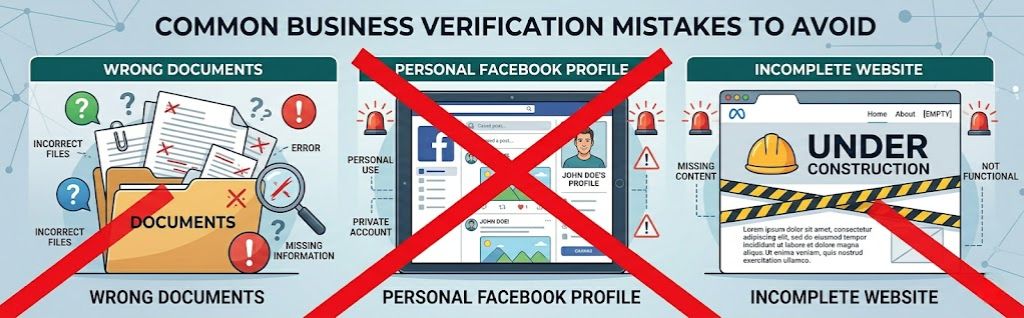
Many companies in KSA, UAE, and India face long delays or rejections because they start the process without proper preparation – wrong documents, incomplete website, or using a personal Facebook account instead of a verified Business Manager.
This detailed guide covers the complete end-to-end process from scratch.
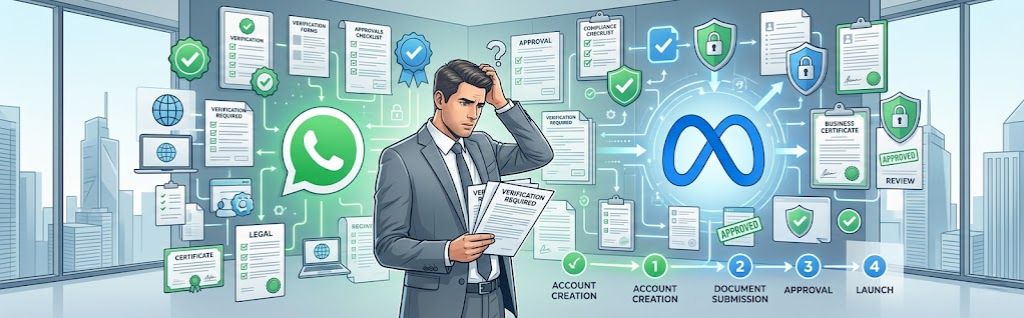
Why Proper Business Setup is Critical?
Meta wants to verify that a real, legitimate business is behind the WhatsApp account. Without proper verification you may face:
- Very low messaging limits
- Rejection of Blue Tick requests
- Risk of future account restrictions
- Loss of customer trust
A proper setup protects your business and allows you to scale safely.
Also Read About WhatsApp for Government, Smart Cities & Public Services in KSA & UAE
Why a Verified Business Manager is Required?
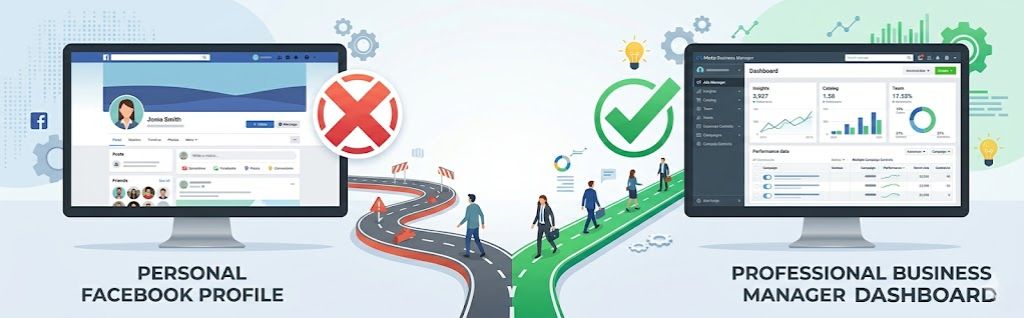
Meta does not allow using a normal personal Facebook account for WhatsApp Business API at enterprise level.
Reasons:
- It separates business activity from personal profile
- Allows team access without sharing passwords
- Mandatory for higher messaging limits and Blue Tick
- Helps Meta verify your business identity
Why a New Dedicated Number is Recommended?
Meta prefers (and in many cases requires) a new dedicated number for WhatsApp Business API because old numbers with personal use history or previous issues often face rejection or complications.
Website Requirements (Mandatory for Verification)
Your website is one of the most important factors in Business Verification.
Must Have:
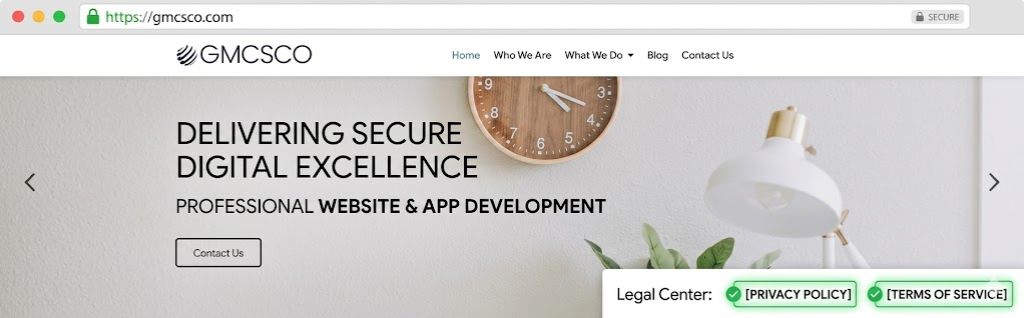
- HTTPS (secure website with padlock)
- Legal business name clearly visible on homepage and footer
- Dedicated Privacy Policy page
- Dedicated Terms & Conditions page
- Contact information
- Professional appearance
Also Read About https://gmcsco.com/whatsapp-mini-apps-in-chat-experiences-for-ksa-uae-enterprises-in-2026/
Documents Required by Country?
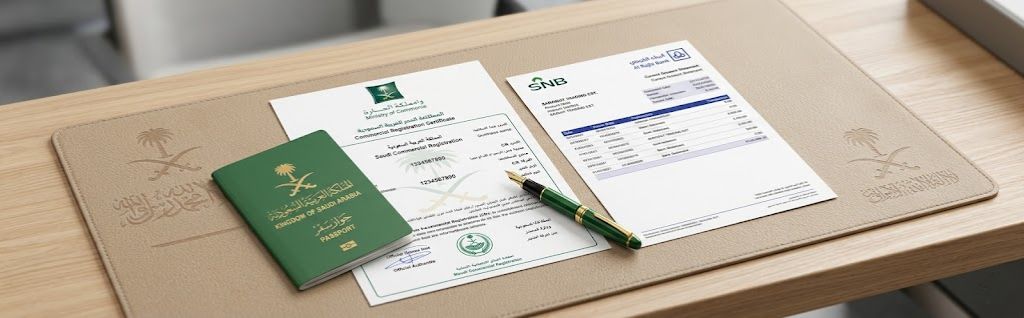
Saudi Arabia (KSA) – Documents Required for Business Manager Verification
- Commercial Registration (CR) Certificate – Must be valid
- VAT Registration Certificate (if applicable)
- Recent Bank Statement showing company name and address
- Certificate of Incorporation / Articles of Association (if applicable)
- Passport or National ID (Iqama) of the authorized signatory
- Company Logo
- Live Website Link (must match the legal business name)
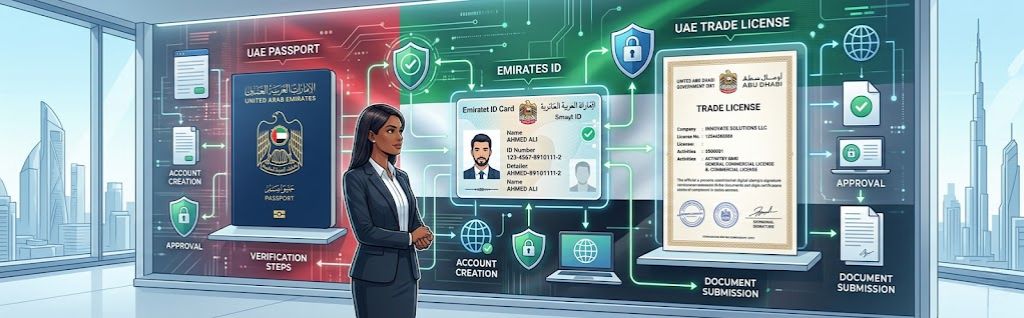
United Arab Emirates (UAE) – Documents Required for Business Manager Verification
- Trade License (valid)
- VAT Registration Certificate (if applicable)
- Emirates ID of the owner / authorized person
- Passport of the owner / authorized signatory
- Recent Bank Statement or Utility Bill showing company name and address
- Certificate of Formation / Memorandum of Association (if applicable)
- Company Logo
- Live Website Link (must match legal business name)
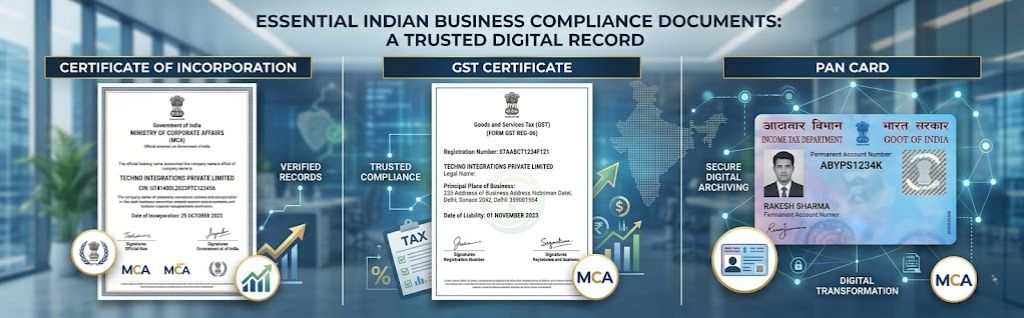
India – Documents Required for Business Manager Verification
- Certificate of Incorporation (for Pvt Ltd / LLP)
- GST Registration Certificate
- PAN Card of the company or authorized person
- Recent Bank Statement or Utility Bill showing company name and address
- Passport / Aadhaar of authorized signatory
- Company Logo
- Live Website Link (must match legal business name)
- Udyam Registration Certificate (optional but helpful)
Also Read About WhatsApp + ERP Integration for KSA
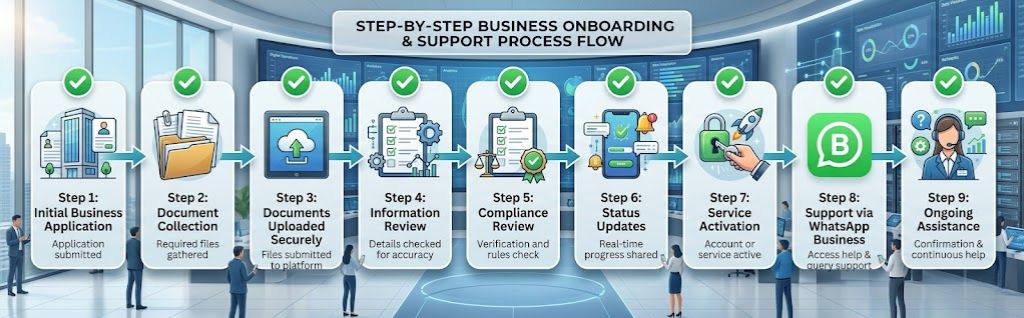
Step-by-Step Process: From Zero to Live WhatsApp Business API
Step 1: Create Business Manager at business.facebook.com
Step 2: Add complete Business Information (Legal Name, Address, Phone, Email, Website)
Step 3: Start Business Verification from Security Center
Step 4: Upload correct documents as per your country
Step 5: Share documents with GMCSCO (Meta Partner) for review and submission
Step 6: Business Manager gets verified
Step 7: Create WhatsApp Business Account using Embedded Signup
Step 8: Add new dedicated phone number and verify with OTP
Step 9: Complete setup and go live
Also Read About WhatsApp API Enterprise Case Studies
Realistic Timeline: How Long Does the Full Process Take?
| Phase | Description | Estimated Time |
| Phase 1 | Business Manager Creation + Filling Information | 1–2 days |
| Phase 2 | Business Verification Submission & Approval | 3–10 business days (Average 4–7 days) |
| Phase 3 | WhatsApp Business Account Creation + Number Verification | 2–5 days |
| Phase 4 | Full Go-Live (from start to live number) | 2 to 6 weeks (Best: 10–15 days) |
| Phase 5 | Blue Tick (OBA) Application | 2–8 weeks or more |
| Migration | Account migration from another provider | Usually 1–2 hours |
Important Notes:
- Most delays happen due to incorrect or incomplete documents.
- If all documents are perfect, the process can be faster.
- Blue Tick takes longer because Meta reviews it manually.
Also Read About PDPL Compliance Checklist for WhatsApp Business API in Saudi Arabia

Why Share Documents with a Meta Partner like GMCSCO?
Instead of struggling alone and risking rejection or long delays, share documents with us. We will review everything, guide you on corrections, and submit properly on your behalf while following all Meta rules.
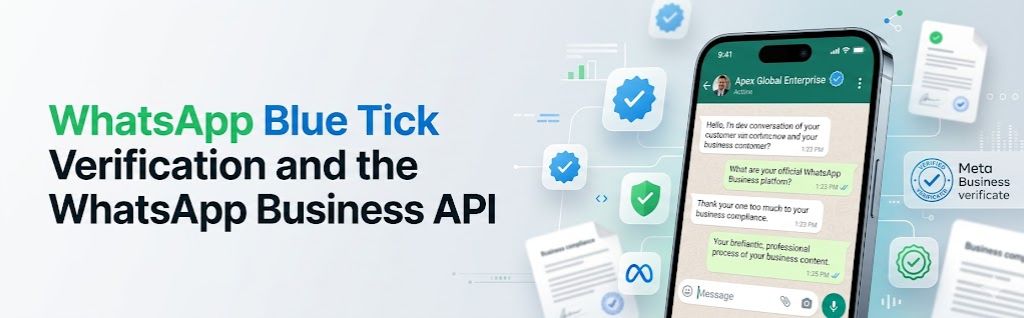
Why Blue Tick (Official Business Account – OBA) is Important
Blue Tick gives your business official recognition on WhatsApp. It increases customer trust, messaging limits, and brand credibility — especially useful for banks, government, and large enterprises.
Common Mistakes That Cause Rejection or Delays
- Using personal Facebook account instead of Business Manager
- Website missing HTTPS, Privacy Policy, or Terms page
- Legal business name mismatch between website and documents
- Uploading unclear or expired documents
- Using old number with history issues
Also Read About WhatsApp Business API for Telecom Operators
How GMCSCO Helps You End-to-End
As an official Meta Business Partner, we handle the complete process for you in KSA, UAE, and India while strictly following Meta’s rules and local regulations.
Ready to Get Your WhatsApp Business API Live Correctly?
Don’t risk rejection or long delays. Let our team handle the full setup professionally.
Frequently Asked Questions (FAQs)
Q1: What is a Business Manager and why is it needed for WhatsApp Business API?
Business Manager is Meta’s professional tool to manage business assets. It separates business activity from personal profile and is mandatory for WhatsApp Business API, higher limits, and Blue Tick.
Q2: Can I use my personal Facebook account for WhatsApp Business API?
No. Meta does not allow personal Facebook accounts for enterprise-level WhatsApp Business API.
Q3: Why should I use a new dedicated phone number?
Old numbers with personal use history or previous issues often face rejection. A new number has a cleaner record and higher approval chances.
Q4: Is a website mandatory for Business Manager verification?
Yes. Meta requires a live, professional website that matches your legal business name.
Q5: What are the minimum requirements for the website?
The website must have HTTPS, clear legal business name, Privacy Policy page, and Terms & Conditions page.
Q6: What documents are required for KSA?
Commercial Registration (CR), VAT Certificate (if applicable), Bank Statement, Passport/Iqama, Company Logo, and live website.
Q7: What documents are required for UAE?
Trade License, VAT Certificate (if applicable), Emirates ID, Passport, Bank Statement/Utility Bill, Company Logo, and live website.
Q8: What documents are required for India?
Certificate of Incorporation, GST Certificate, PAN Card, Bank Statement, Passport/Aadhaar, Company Logo, live website, and Udyam Registration (optional).
Q9: How long does Business Manager verification take?
Usually 1 to 5 business days after submitting correct documents.
Q10: What happens if Business Verification gets rejected?
Meta usually shares the reason. You can correct it and re-submit.
Q11: Can GMCSCO handle the entire process for me?
Yes. We review documents, guide you, and submit everything correctly on your behalf.
Q12: What is Embedded Signup?
It is the official Meta process to create a WhatsApp Business Account using your verified Business Manager.
Q13: Why is Blue Tick important?
It gives official recognition, increases trust and messaging limits, and improves brand image.
Q14: How can I apply for Blue Tick?
After verification, you can apply. Meta usually asks for proof of notability (news articles, strong website presence, etc.).
Q15: Can I migrate from another provider to GMCSCO?
Yes. Migration is possible and messaging limits/templates can usually be retained if done correctly.
Q16: Will my Blue Tick remain after migration?
Yes, if the migration is done properly.
Q17: What is PDPL and why is it important?
PDPL is Saudi Arabia’s data protection law. All WhatsApp solutions must comply with it.
Q18: Do I need to be a registered company?
Yes. Meta requires valid business registration documents.
Q19: Can I start small and scale later?
Yes. You can start with lower volume and increase as your business grows.
Q20: What are the most common reasons for rejection?
Mismatched business name, missing Privacy Policy/Terms pages, unclear documents, or using a personal Facebook account.
Q21: How much does it cost to set up WhatsApp Business API?
There is usually a one-time onboarding fee by Meta Partners. Meta charges per message (no monthly fee in most cases).
Q22: Do I need technical knowledge?
No. Once set up, daily operations are simple. A good partner handles the technical part.
Q23: Can I add multiple team members?
Yes. Business Manager allows adding team members with different access levels.
Q24: What is the difference between WhatsApp Business App and WhatsApp Business API?
Business App is for small manual use. Business API is for automation, high volume, CRM integration, and team access.
Q25: How long does it take to go live after submitting documents?
Usually 2 to 6 weeks depending on document accuracy and Meta’s review time.
Q26: Can I use the same number for multiple businesses?
No. One number can only be connected to one WhatsApp Business Account.
Q27: What happens after Business Manager is verified?
You get higher messaging limits and can proceed to create WhatsApp Business Account and go live.
Q28: Is it possible to get Blue Tick without news articles?
It is difficult but sometimes possible with strong website presence and other proof of notability.
Q29: Why should I work with a Meta Partner like GMCSCO?
A Meta Partner helps avoid mistakes, reduces rejection chances, and ensures the process follows Meta’s rules correctly.
Q30: How can I get started with GMCSCO?
Book a confidential consultation. We will guide you on documents and handle the complete process from start to going live.