
Get Quote
WhatsApp Agent Dashboard Setup in Chennai
Introduction
Handling customer conversations on WhatsApp through mobile phones or scattered tools becomes difficult as your business grows. In a fast-paced city like Chennai, where businesses deal with high volumes of daily inquiries, managing chats without a proper system leads to delays, missed messages, and poor customer experience.
GMCSCO offers WhatsApp Agent Dashboard Setup in Chennai, helping businesses shift from unstructured messaging to a centralized, professional communication system. Instead of relying on individual devices, your entire team can manage WhatsApp conversations through a single dashboard designed for speed, visibility, and control.
This setup allows businesses to respond faster, assign chats efficiently, and maintain a clear record of every interaction, making customer communication more organized and scalable.
Why Businesses in Chennai Are Moving to Agent Dashboards
As businesses grow, WhatsApp conversations increase across sales, support, and service departments. When multiple team members use the same number without a system, confusion becomes inevitable. Messages overlap, responses get delayed, and tracking customer history becomes nearly impossible.
An agent dashboard solves these issues by providing a structured environment where all incoming messages are visible in one place. Managers can monitor activity, and agents can handle conversations without stepping on each other’s work.
For companies in Chennai dealing with high inquiry volumes, this shift is not just helpful it becomes necessary for maintaining service quality.
What Is a WhatsApp Agent Dashboard?
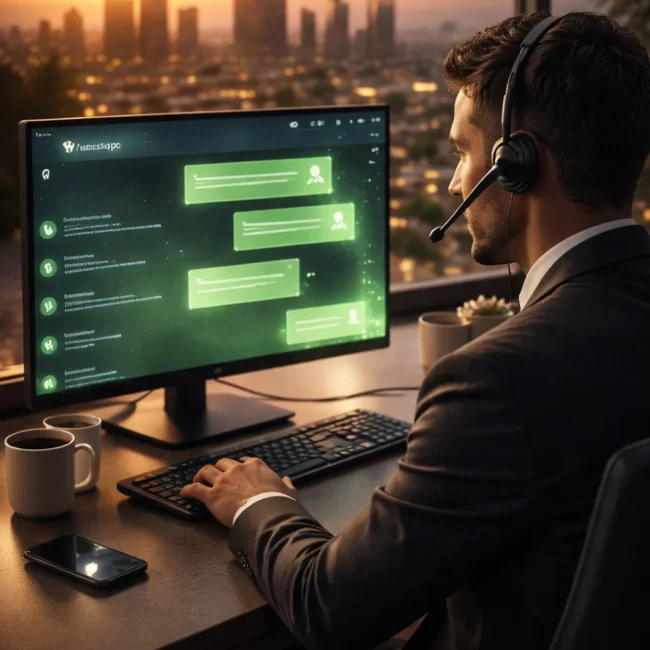
A WhatsApp agent dashboard is a centralized platform connected to the official WhatsApp Business API, where multiple team members can view and respond to customer messages in real time.
Instead of using WhatsApp on phones, agents access a web-based or desktop interface. Every conversation is organized, tagged, and stored for future reference. This makes it easier to manage leads, track support requests, and ensure no customer query is missed.
The dashboard acts as the control center for all WhatsApp communication within your business.
What You Can Do with an Agent Dashboard
The dashboard is designed to simplify how teams interact with customers while maintaining structure and control. It replaces scattered communication with a unified workflow.
Here’s what businesses can do after setup:
View all incoming WhatsApp messages in one place
Assign chats to specific agents or departments
Track conversation history for each customer
Respond using desktop instead of mobile devices
Add internal notes for team collaboration
Monitor agent performance and response time
Handle multiple conversations simultaneously
Organize chats using labels or categories
These capabilities help teams stay organized while improving response efficiency.
Build Better Connections. Drive Better Results.
Start your journey with GMCSCO and unlock new possibilities for your business.
How This Improves Daily Operations
Without a dashboard, teams often struggle with duplicated replies, missed leads, or unclear ownership of conversations. With a structured system in place, each inquiry is handled systematically.
Agents know exactly which chats they are responsible for, managers gain visibility into ongoing conversations, and customers receive quicker and more accurate responses.
Some noticeable improvements include:
Faster response handling during peak hours
Better coordination between sales and support teams
Reduced chances of missing important messages
Clear tracking of customer interactions
Improved accountability within teams
This creates a smoother workflow for both employees and customers.
Where This Setup Works Best
Businesses across Chennai are adopting WhatsApp dashboards in different ways depending on their operations.
Real estate companies use dashboards to manage multiple property inquiries efficiently. Ecommerce businesses handle order-related queries and customer support from a single interface. Service-based companies such as clinics, consultancies, and agencies manage appointments and inquiries in a more organized way.
Even small teams benefit from having structured communication instead of relying on personal devices.
Why Businesses Prefer GMCSCO
Setting up a dashboard is not just about software it’s about creating a system your team can actually use effectively. GMCSCO focuses on practical implementation rather than generic setups.

Businesses in Chennai work with us because we provide:
Clean and easy-to-use dashboard setup
Proper team-based chat distribution
Integration with existing business tools
Scalable setup for growing teams
Focus on usability and workflow efficiency
Ongoing support for improvements
We make sure your team adapts quickly and benefits from the system immediately.
Simplify Your WhatsApp Communication
If your business in Chennai is still managing WhatsApp conversations through mobile devices or unorganized tools, it’s time to upgrade to a structured system.
A properly configured agent dashboard helps your team respond faster, stay organized, and deliver better customer experiences without confusion.
GMCSCO provides complete WhatsApp Agent Dashboard Setup in Chennai, helping businesses build a reliable communication system that supports growth and efficiency.
Build Better Connections. Drive Better Results.
Start your journey with GMCSCO and unlock new possibilities for your business.
Get Started with GMCSCO
At GMCSCO Media Group we offer much more than tools we deliver transformation. Our expert staff guarantees a smooth, compliant and ROI-driven WhatsApp marketing experience for you.
Want to automate your business communication?
Get in touch today for your tailor-made demo or campaign consultation.
Call / WhatsApp: +91-9513351353
Email: [email protected]
Website: www.gmcsco.com
Frequently Asked Questions (FAQS)
Q1: What is a WhatsApp agent dashboard?
A WhatsApp agent dashboard is a centralized platform that allows multiple team members to manage customer conversations through WhatsApp Business API.
Q2: How does WhatsApp Business API work?
It enables businesses to send and receive messages at scale, integrate automation tools, and manage conversations through dashboards.
Q3: Can multiple agents use one WhatsApp number?
Yes, with WhatsApp Business API, multiple agents can handle conversations from a single number using a shared dashboard.
Q4: Is WhatsApp dashboard suitable for small businesses?
Yes, both small and large businesses can benefit from improved communication and automation features.
Q5: What is the cost of WhatsApp dashboard setup in India?
Costs vary depending on API charges, software platform, and customization requirements.
Q6: Can WhatsApp be integrated with CRM?
Yes, WhatsApp can be integrated with CRM systems to manage leads and customer data.
Q7: Is WhatsApp marketing allowed in India?
Yes, as long as businesses follow opt-in rules and WhatsApp policies.
Q8: Can I automate replies on WhatsApp?
Yes, chatbots can handle FAQs, lead capture, and initial customer interactions.
Q9: How secure is WhatsApp Business API?
It uses end-to-end encryption to ensure secure communication.
Q10: Can I send bulk messages through WhatsApp?
Yes, using approved templates and customer consent.
Q11: How long does setup take?
Typically, it takes a few days to a couple of weeks depending on complexity.
Q12: Do I need technical knowledge to use the dashboard?
No, GMCSCO provides training and support for easy usage.