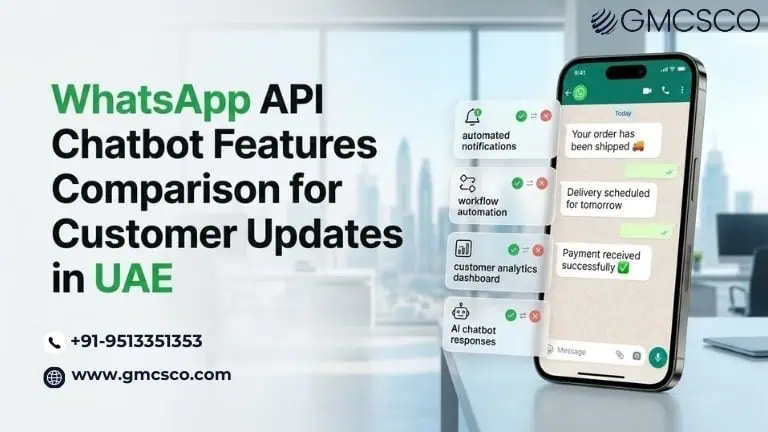
WhatsApp API chatbot features comparison for customer updates UAE
Introduction: Why Businesses in UAE Are Turning to WhatsApp API Chatbots Customer expectations have changed dramatically in the last few years. People no longer want to wait for emails or hold on phone lines to receive updates about orders, deliveries, payments, or appointments. They expect instant communication on the platforms they already use every day. In the UAE, one messaging channel clearly dominates this expectation. WhatsApp. With more than 90 percent smartphone penetration and extremely high WhatsApp usage across Dubai, Abu Dhabi, Sharjah, and other emirates, businesses increasingly rely on WhatsApp Business API chatbots to deliver automated customer updates. These updates can include: Order confirmations Delivery tracking notifications Appointment reminders Payment alerts Service updates Customer support messages But here is the challenge many companies face. Not all WhatsApp chatbot platforms offer the same features. Some are designed for marketing campaigns, others for support automation, and some specialize in transactional customer updates. For business owners, startup founders, and enterprise leaders, selecting the right WhatsApp API chatbot requires a careful comparison of features, integration capabilities, scalability, and automation capabilities. This guide provides a detailed WhatsApp API chatbot features comparison for customer updates in the UAE. The goal is to help decision makers understand what truly matters when selecting a solution that improves customer communication while reducing operational workload. Get Free WhatsApp Consultation The Growing Communication Challenge for Businesses Customer communication is one of the most underestimated operational challenges in modern organizations. Businesses deal with hundreds or thousands of customer interactions every day. These interactions often revolve around simple updates such as order status, shipping notifications, appointment confirmations, or service alerts. Traditionally these updates were handled through: Email notifications SMS alerts Call center agents Manual CRM messaging However, these methods create multiple operational problems. First, email open rates continue to decline, especially for time sensitive updates. Second, SMS messages are limited in functionality and often expensive at scale. Third, customer support teams become overwhelmed answering repetitive questions like: Where is my order When will my delivery arrive Has my payment been confirmed Can I reschedule my appointment In fast moving markets like UAE ecommerce, logistics, healthcare, and fintech, these questions appear thousands of times per day. This is where WhatsApp API chatbots transform business operations. Instead of relying on human agents for repetitive updates, companies automate customer notifications through conversational messaging. Customers receive instant updates on WhatsApp and can respond with questions if needed. The result is faster service, lower support costs, and significantly better customer satisfaction. Businesses exploring automation often begin by evaluating WhatsApp chatbot capabilities across different platforms before deciding on an implementation strategy. Also Read About WhatsApp API vs SMS Automation Why WhatsApp API Chatbots Matter in the UAE Market The UAE has one of the most digitally connected populations in the world. Messaging apps are deeply embedded in everyday communication for both consumers and businesses. Several market factors make WhatsApp API chatbots particularly powerful in this region. Extremely High WhatsApp Usage WhatsApp is used across every demographic in the UAE including expatriates, local residents, professionals, and students. This means businesses do not need to convince customers to download a new app or platform. The communication channel already exists. Mobile First Customer Behavior Consumers in Dubai and across the UAE prefer quick mobile interactions rather than formal communication channels. WhatsApp messaging fits perfectly into this behavior. Multilingual Customer Base The UAE hosts residents from more than 200 nationalities. WhatsApp chatbots can support multiple languages including English, Arabic, Hindi, Urdu, and more. Fast Growing Ecommerce and Service Economy Industries like ecommerce, food delivery, healthcare, travel, and real estate depend heavily on real time customer communication. Automated messaging through WhatsApp API chatbots enables these industries to scale customer communication efficiently. Organizations evaluating digital transformation strategies increasingly consider WhatsApp automation as a central customer engagement tool. Get Automation Strategy Advice What Is a WhatsApp API Chatbot? A WhatsApp API chatbot is an automated conversational system that communicates with customers through WhatsApp using the official WhatsApp Business API. Unlike the regular WhatsApp Business app used by small businesses, the API version allows companies to integrate messaging into their existing systems such as: CRM platforms Order management systems Customer support software Marketing automation tools Enterprise ERP systems A chatbot powered by the WhatsApp API can automatically send customer updates and respond to customer queries using predefined workflows or artificial intelligence. For example, when a customer places an order on an ecommerce website, the chatbot can automatically send a message on WhatsApp confirming the order. As the order moves through fulfillment and delivery stages, additional notifications can be triggered. Customers can also ask questions and receive automated responses. This creates a seamless communication experience without requiring manual intervention from customer service teams. Key WhatsApp API Chatbot Features for Customer Updates Before comparing platforms, businesses must understand the core features that enable automated customer messaging. Automated Transactional Notifications The most important capability is sending automated notifications triggered by business events. Examples include: Order confirmations Payment receipts Shipping alerts Delivery updates Appointment confirmations These notifications are delivered instantly through WhatsApp. Start Free WhatsApp Consultation Two Way Customer Communication Customers should not only receive updates but also respond. Two way messaging allows users to ask questions or request assistance after receiving a notification. For example: A delivery notification could allow customers to confirm their address or reschedule delivery. CRM and System Integrations A chatbot must connect with internal systems to trigger notifications automatically. Common integrations include: Shopify and ecommerce platforms Salesforce and CRM systems Order management tools Customer support software Payment gateways Without integrations, automation becomes difficult to scale. AI Based Natural Language Understanding Advanced chatbots use conversational AI to understand customer questions. Instead of rigid menus, customers can ask questions in natural language such as: Where is my order Can I change my delivery time Has my payment been received The chatbot interprets the request and responds automatically. Also Read About Best WhatsApp Chatbot Tools Comparison Message Templates and Personalization WhatsApp API requires businesses to use approved
WhatsApp API chatbot features comparison for customer updates UAE Read More »